
APPLICANT: Where Can I Submit Feedback About Staff Me Up?
Edited
This article is for iOS app users who want to provide feedback on their experience with the iOS Application. We value your input, and this guide will show you exactly how to share your thoughts with our team to help us improve.
How to Submit Feedback
Follow these simple steps to send us your feedback directly through the platform:
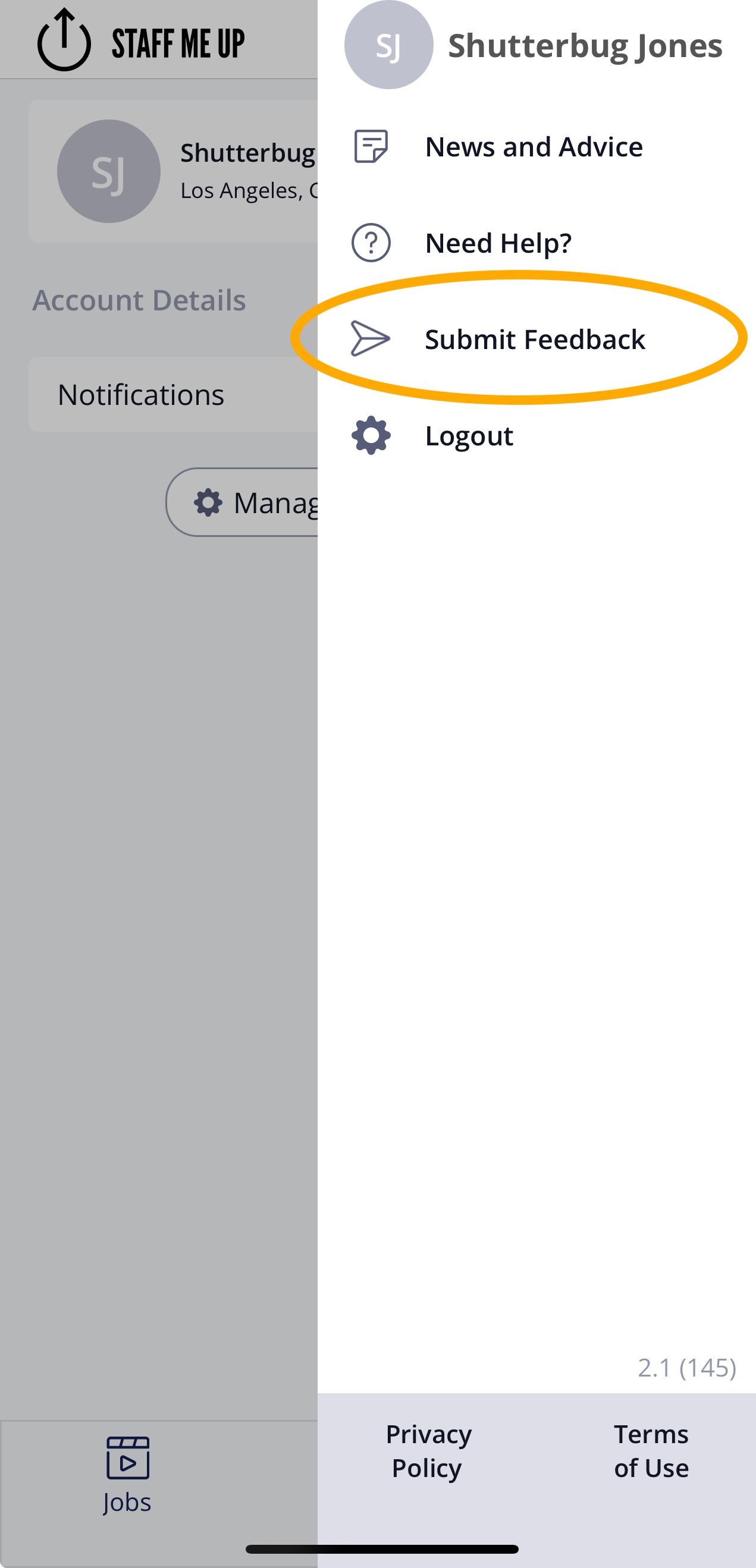
Tap on your profile icon to open up the side menu.
Tap ‘Submit Feedback’ to rate us and tell us your thoughts!
Frequently Asked Questions (FAQs)
What kind of feedback can I leave?
Any and all feedback is welcome! Whether you have an idea for a new feature, encountered an issue, or just want to share your thoughts on what you like, we want to hear it. Your feedback is essential in helping us make the platform better for you.
App
Mobile
iOS
Was this article helpful?
Sorry about that! Care to tell us more?